Quick Summary: What This Blog Covers
Discover the proven SOPs I use to simplify monthly SEO reporting and client onboarding, improve communication, and increase client retention. Learn how clear reporting, realistic expectations, and structured workflows build stronger, longer-lasting client relationships.
Introduction
I want to tell you about a phase in my career that I am not particularly proud of.
For a long time, my client relationships were messy. Not because I did not care, I cared a lot. But I had no real system. Every month I scrambled to pull reports together at the last minute. Every new client onboarding felt like I was reinventing the wheel. I answered the same questions repeatedly. I explained the same concepts over and over. I spent more time managing confusion than actually doing the work.
The turning point came when I lost a client I should not have lost. The SEO results were genuinely good. Traffic was up. Rankings were improving. But the client had no idea any of that was happening because I never communicated it clearly. They felt ignored. They felt like they were paying for something they could not see or understand. So they left.
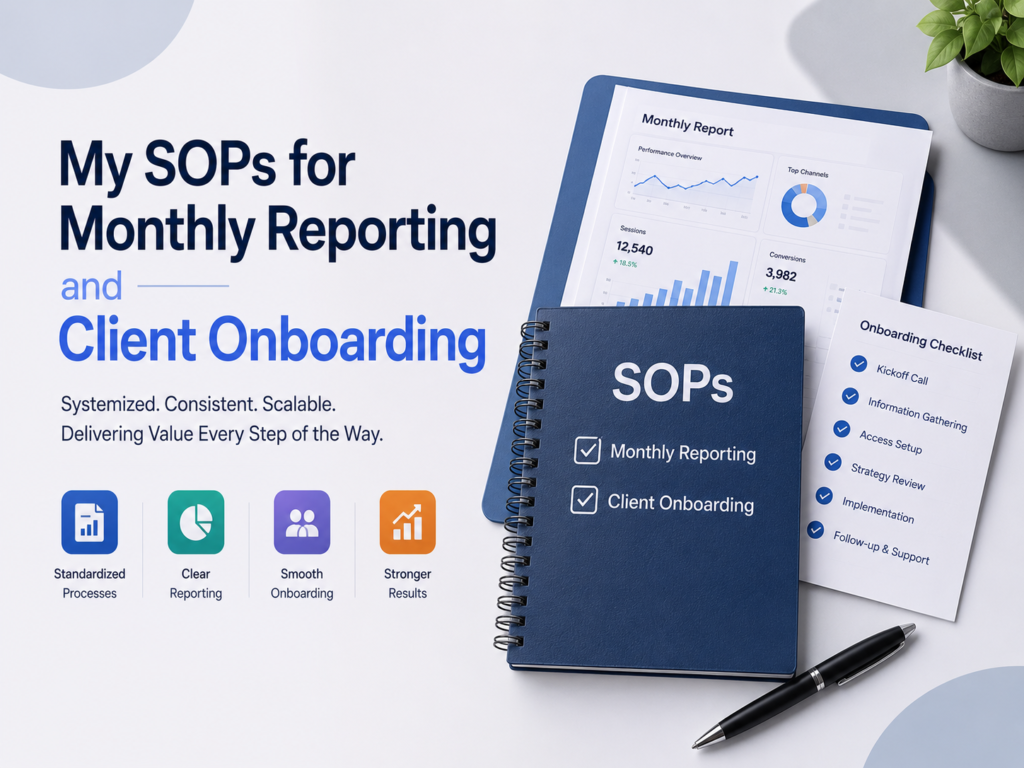
That experience pushed me to build two things I now consider non-negotiable in my agency workflow. First, a proper SOP for delivering monthly reports that clients actually read and understand. Second, a client education SOP that sets up every new SEO engagement for success from day one.
These two systems changed everything. Client retention improved. Confusion dropped. And I stopped dreading the end of every month.
This blog walks through both SOPs in full detail.
Part One: My SOP for Delivering Monthly Reports Without Overwhelm
Why Monthly Reporting Usually Goes Wrong
Let me describe the typical monthly report I see from most agencies. It is a forty-page PDF stuffed with screenshots from Google Analytics, Ahrefs, Semrush, and Google Search Console. Every metric imaginable gets included. Impressions, clicks, bounce rate, domain authority, backlinks acquired, pages crawled, keyword rankings for 200 terms — all of it dumped into one document with no real narrative connecting any of it.
The client opens it, feels immediately overwhelmed, scrolls to the last page, and closes it. They take nothing useful away. Then they email you asking “so how are things going?” — which means the report failed completely at its only job.
“74% of clients say they find agency reports too data-heavy and not focused enough on business outcomes.” — HubSpot Agency Survey
I understand why reports end up this way. We work inside these tools every day. And find all these numbers interesting. We want to show our clients how much work we do. So we include everything.
But the client does not think like us. They think about their business, think about leads, revenue, and growth. And need a report that connects our work to those things — in plain language, without requiring a data science degree to understand.
The Principles Behind My Reporting SOP
Before I share the actual process, I want to explain the thinking behind it. These principles shape every decision I make when building a monthly report.
Less is more. I include only what genuinely matters for the client’s specific goals. If they care about lead generation, I report on lead-related metrics. If they care about ecommerce revenue, I focus there. I cut everything else ruthlessly.
Tell a story, not a spreadsheet. Every report I send has a clear narrative. Here is where we were. And is where we are now. Here is what we did this month. This is what it produced. Here is what we do next.
Connect data to business outcomes. Traffic numbers mean nothing on their own. I always connect them to something the client actually cares about — more calls, more form submissions, more revenue.
Prepare them before the meeting. I send the report before our call, never during it. That way the client reads it in advance, forms questions, and our meeting becomes a real conversation instead of me reading slides out loud to them.
Monthly Reporting SOPs
Step 1: Set up a reporting template on day one of the engagement
Not at the end of the first month when time is reported, I create a custom report template for each new client upon onboarding. My familiarity with how to connect Google Looker Studio with Google Analytics 4, Google Search Console and Google Ads means that I use them for most of my clients as they will automatically update. The template makes it easy for me to retrieve the data I want without having to copy the numbers into a slide deck each month.
If it’s easier, I create a light, simple report within Notion or a fresh Google Doc with manually entered key metrics. It does not really matter what format you use, it matters what is clear.
Step 2: Define the three to five metrics that matter most for this client
During onboarding, I ask every client one question: what does success look like for you in six months? Their answer shapes the entire reporting structure.
For a service business, the key metrics might be:
- Organic sessions
- Contact form submissions from organic traffic
- Phone clicks from organic traffic
- Top keyword rankings for their core service terms
For an ecommerce business:
- Organic revenue
- Organic transactions
- Top product page rankings
- Shopping cart abandonment rate
I do not report on twenty metrics. I report on the five that connect directly to what the client told me they care about.
Step 3: Gather and organize data in the week before the report is due
I never scramble at the end of the month. I keep a running notes document throughout the month where I log significant events — a big ranking jump, a traffic spike, a technical issue I fixed, a new batch of backlinks that went live. When reporting time comes, I have the story already half-written.
I pull data from:
- Google Analytics 4 — traffic, engagement, conversions
- Google Search Console — keyword performance, indexing, CTR
- Ahrefs or Semrush — keyword rankings, backlink growth, domain authority trends
- Google Ads — paid campaign performance if applicable
Step 4: Write the executive summary first
This is the most important section of the entire report. Most clients read only this. It lives at the very top and covers:
- The three biggest wins from the month
- The one or two challenges we faced and how we handled them
- The most important number — whether that is organic traffic, leads, or revenue
- What we focus on next month and why
I write this in plain language. No jargon. No acronyms without explanation. If my client’s grandmother could not understand a sentence, I rewrite it.
Step 5: Present the data visually
Charts and graphs beat tables of numbers every time for non-technical clients. In Google Looker Studio, I build clean visual dashboards that show trends over time rather than just point-in-time numbers. A line graph showing organic traffic growing month over month tells a much more compelling story than a column of numbers.
I always show comparison data — this month versus last month, and this month versus the same month last year. Context makes numbers meaningful.
Step 6: Include a clear next steps section
Every report ends with three to five specific actions I plan to take in the coming month, with brief explanations of why each one matters. This section does two things. It shows the client that we always move forward with purpose. And it gives me a built-in accountability structure — I wrote down what I planned to do, so I need to actually do it.
Step 7: Send the report 48 hours before the monthly call
I send the report by email with a short personal note — three or four sentences summarizing the highlights and flagging anything I want to discuss on the call. This gives the client time to read it, form questions, and arrive at the meeting ready for a real conversation.
“Agency clients who receive reports at least 24 hours before meetings report 60% higher satisfaction with their agency relationship.” — Agency Analytics Client Retention Study
Step 8: Run the monthly call with a clear agenda
The call follows a simple structure. Five minutes to confirm they read the report and address any immediate questions. Ten minutes to walk through the highlights and context behind the numbers. Ten minutes to discuss the next month’s priorities. Five minutes for open questions.
I keep calls to thirty minutes unless the client specifically wants to go longer. Respecting their time is part of the service.
Tools I Use for Monthly Reporting
- Google Looker Studio — automated dashboards connected to live data sources
- Agency Analytics — client reporting platform with white-label options
- Notion — for lightweight written reports and meeting notes
- Loom — I record a short video walkthrough of the report for clients who prefer watching over reading
- Slack — for quick mid-month updates so the monthly report never comes as a surprise
Part Two: Client Education SOP — How I Onboard for SEO Success
Why Client Onboarding Defines the Entire Relationship
The first thirty days of any client engagement set the tone for everything that follows. When onboarding goes well, clients feel informed, confident, and aligned with the process. When it goes poorly, clients start second-guessing every decision, asking too many questions, and losing faith before results even have a chance to show up.
SEO is a particularly challenging service to sell and retain clients on because results take time. A paid ad can show results in 48 hours. SEO typically takes three to six months to show meaningful ranking improvements. That gap between investment and visible results is where most client relationships break down — not because the work is bad, but because the client was never properly prepared for that reality.
“The number one reason clients cancel SEO contracts is unmet expectations — not poor performance.” — BrightLocal Agency Survey
My client education SOP exists to close that expectations gap before it ever becomes a problem.
Client Onboarding SOPs
Step 1: Send a pre-onboarding questionnaire
Before the first official onboarding call, I send every new client a short questionnaire through Typeform or Google Forms. It covers:
- Their main business goals for the next six and twelve months
- Their target audience and ideal customer profile
- Their biggest competitors, in their opinion
- Past SEO or marketing work they have done — what worked, what did not
- Their internal team structure — who I will work with, who makes decisions
- Their communication preferences — email, Slack, calls, frequency
I review the responses before the onboarding call. This means I arrive already knowing the context, which makes the first conversation far more productive and impressive.
Step 2: Run a structured onboarding call
My onboarding call follows a specific agenda every time. I never wing it.
- Ten minutes: review their questionnaire answers and confirm my understanding of their goals
- Ten minutes: explain exactly how SEO works and what the realistic timeline looks like — I am direct and honest here, not optimistic to the point of being misleading
- Ten minutes: walk through what I will deliver, how often, and through which channels
- Ten minutes: explain what I need from them — access, approvals, content input — and how quickly I need responses to keep things moving
- Ten minutes: open questions
At the end of this call, the client should feel completely clear on three things. What we are working toward. How long it will realistically take. And what their role in the process looks like.
Step 3: Send a clear onboarding document
Within 24 hours of the onboarding call, I send a written onboarding document. I build this in Notion and share it as a link the client can reference anytime. It includes:
- A summary of their goals and our agreed KPIs
- A plain-English explanation of the SEO process and what each phase involves
- A timeline with realistic milestones
- A glossary of terms they will hear from me regularly — organic traffic, keyword ranking, domain authority, backlinks, crawl, index, conversion
- Communication guidelines — how to reach me, how quickly I respond, what warrants an urgent message versus a regular email
- A list of accesses I need from them, with simple instructions for how to grant each one
This document removes the ambiguity that silently damages most client relationships. Everything is written down. Nobody has to rely on memory from a single call.
Step 4: Educate them on SEO timelines with real context
This is the single most important piece of client education I deliver. I spend real time on it in every onboarding and I reinforce it regularly throughout the engagement.
I explain it simply. SEO is not like an ad you turn on and off. It works by building authority and relevance over time. Google needs to crawl new content, evaluate it against competitors, and decide where it belongs in rankings. That process takes months, not days.
I set specific expectations:
- Months one and two: mostly foundational work — technical fixes, site structure, initial content. Very little visible ranking movement.
- Month three: early ranking signals start to appear for lower-competition keywords
- Months four through six: meaningful traffic growth typically begins for campaigns with good fundamentals
- Months six through twelve: compounding growth as content builds authority and backlinks accumulate
I give them real numbers from real past clients — anonymized but specific enough to feel credible. This grounds the conversation in reality rather than vague promises.
Step 5: Set up shared communication channels
I create a dedicated Slack channel for every client. This gives us a direct line for quick questions and updates without clogging up email threads. I also set up a shared Notion workspace where I track ongoing tasks, content calendars, and deliverable statuses.
Clients who can see work in progress feel more confident. Transparency builds trust even when results are still building.
Step 6: Deliver a technical audit and strategy document in week two
In the second week of the engagement, I deliver a full technical SEO audit using Screaming Frog, Ahrefs, and Google Search Console. I pair this with a written strategy document that covers:
- The three most critical technical issues to fix immediately
- The keyword strategy and content plan for the first ninety days
- The link building approach we will take
- The on-page optimization priorities
I present this in a video walkthrough using Loom rather than a static PDF. Clients understand it better when they can hear the reasoning, not just read the conclusions.
Step 7: Run a thirty-day check-in call
At the end of the first month, I run a short check-in call — fifteen to twenty minutes. I cover what we completed in the first thirty days, early signals from Google Search Console and Google Analytics 4, and what the next thirty days look like. I also ask directly: do you have any concerns or questions about how things are going?
Catching small concerns early prevents them from growing into big ones. This call costs me twenty minutes. The trust it builds is worth far more than that.
“Agencies that run a structured 30-day check-in retain clients 45% longer than those that wait until the first monthly report.” — Agency Analytics Retention Data
How Reporting and Onboarding Connect
Here is something I want to make clear. These two SOPs are not separate systems that happen to run at different times. They connect deeply.
The onboarding process defines exactly what goes into the monthly report. When I set clear KPIs in week one and explain which metrics we focus on, I make the reporting process infinitely simpler. The client already knows what they care about. The report simply shows how we are progressing against it.
The monthly report then reinforces the expectations we set during onboarding. It reminds the client of where we started, shows the progress being made, and keeps them anchored to the realistic timeline we discussed from day one.
Together these two systems create a rhythm. Clients feel informed. They feel involved. They understand the work. And when results come — and they do come — they trust that we produced them.
Final Thoughts from Ali Jaffar Zia
I spent years doing this work without proper systems. The talent was there. The knowledge was there. But the structure was missing. And without structure, even great work gets misread, undervalued, and eventually lost.
Building these two SOPs changed how I run every client relationship. Reporting stopped being a monthly source of stress and became a genuine touchpoint for building confidence. Onboarding stopped being an awkward first few weeks and became a foundation that every good result gets built on.
If you run any kind of SEO or digital marketing service, I cannot recommend strongly enough that you build your own versions of these systems. They do not need to match mine exactly. But you need something — some consistent, repeatable process for communicating your work and educating your clients.
Because the quality of your work matters. But what your clients understand about your work matters just as much.
FAQs
1. How long should a monthly SEO report be? Short enough that the client actually reads it. For most clients, I aim for one page of executive summary plus two to three pages of supporting data. If I use Google Looker Studio, the visual dashboard replaces lengthy written sections. Length is not a sign of thoroughness — clarity is.
2. What tools do I need to build a good monthly report? I use Google Looker Studio for automated visual dashboards, Google Analytics 4 and Google Search Console for core data, and Ahrefs or Semrush for keyword ranking and backlink data. For simpler clients, a well-structured Google Doc works perfectly fine.
3. Should I send reports by email or present them on a call? Both. I send the report by email 48 hours before our monthly call so the client can review it in advance. The call then becomes a conversation about insights and next steps rather than a first reading.
4. What is the most common mistake in SEO client onboarding? Setting vague or overly optimistic expectations about timeline and results. Clients who expect page-one rankings in thirty days become frustrated clients within sixty days. I always set realistic timelines upfront, even when it feels uncomfortable.
5. How do I explain SEO timelines to a skeptical client? I use real past examples — anonymized data from previous clients showing what months one through six actually looked like. Concrete numbers from real campaigns are far more convincing than general explanations about how SEO works.
6. What accesses do I need from a new SEO client? At minimum: Google Analytics 4 editor access, Google Search Console full user access, website CMS access for on-page optimization, and if running paid campaigns, Google Ads access. I list all of these in the onboarding document with step-by-step instructions for how to grant each one.
7. How do I handle a client who panics when traffic drops one month? This is exactly why onboarding education matters so much. When I properly prepare clients for the natural ups and downs of SEO traffic during onboarding, a single bad month rarely causes panic. I also address dips immediately and proactively in the monthly report rather than hoping the client does not notice.
8. Should every client get the same onboarding process? The structure stays consistent but the content adapts to each client. A local service business needs different education than a national ecommerce brand. I keep the same steps but customize what I cover inside each step based on what that specific client needs to understand.
9. How do I use Loom in my reporting and onboarding workflow? I record a five to ten minute Loom video walkthrough for every monthly report and every strategy document I deliver. Clients who prefer watching over reading get much more value from this format. It also adds a personal touch that written reports alone cannot match.
10. What is the single most important thing I can do to improve client retention? Communicate proactively. Do not wait for the client to ask how things are going. Send a quick mid-month update in Slack when something notable happens — a ranking jump, a traffic milestone, a technical issue resolved. Clients who hear from you regularly between reports never feel ignored. And clients who never feel ignored rarely leave.
Also Read:
-
Google Analytics 4: A Complete Guide for Digital Marketers
-
Data-Driven Marketing and Google Search Console
-
From AI SEO Tools to Technical Checklists: How I Build Sites That Rank
-
From Micro-Conversions to A/B Testing: How I Turn Small Data Into Bigger Sales
-
PPC Ads on Social Media: The Granular Metrics You Are Probably Ignoring