Quick Summary: What This Blog Covers
This blog explains how to perform a thorough Google Tag Manager (GTM) audit and a structured monthly PPC audit to ensure accurate tracking, reliable campaign data, and stronger advertising performance. It also shows how these two audit processes work together to reduce wasted ad spend and improve optimization decisions.
Introduction
I want to start with a story that still makes me cringe a little.
A client came to me after six months of running paid campaigns with what looked like solid conversion data. Their cost per conversion looked great on paper. Their ROAS looked healthy. And their team was happy with the numbers.
Then I opened Google Tag Manager and spent twenty minutes inside it. What I found was a mess. Duplicate conversion tags firing on every purchase. A remarketing tag that had not fired correctly in three months. A GA4 configuration tag missing key parameters. And a conversion action counting page views as purchases because someone had set up the trigger incorrectly.
Every number they had been optimizing against for six months was wrong. The campaigns were not performing as well as they thought. The budget allocation was completely off. And nobody had caught it because nobody had audited the tag setup.
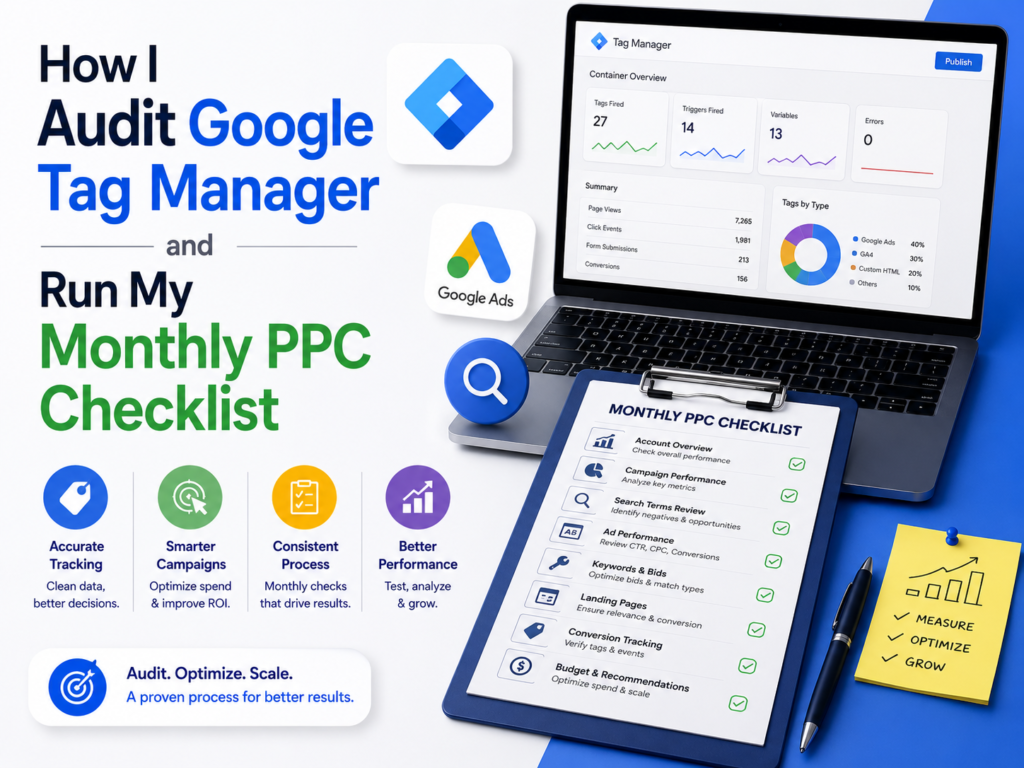
That experience is exactly why I now run a GTM audit at the start of every new engagement and a full PPC audit every single month without exception. Both processes live in my SOPs. Both have saved clients significant amounts of wasted budget.
Part One: How I Audit Google Tag Manager for SEO and PPC
Why GTM Audits Matter More Than People Realize
Google Tag Manager is one of the most powerful tools in a digital marketer’s stack. It lets you deploy tracking codes, conversion tags, remarketing pixels, and custom scripts across your entire website without touching the source code every time. But that power comes with a real risk.
Because GTM is so easy to use, it accumulates tags over time from multiple contributors — developers, marketers, agencies, freelancers — without any consistent oversight. Old tags never get removed. Duplicate tags pile up. Triggers get misconfigured. And the data flowing into your analytics and ad platforms quietly becomes unreliable.
“Approximately 70% of GTM accounts audited by marketing analytics firms contain at least one significant tracking error affecting campaign data.” — MeasureSchool Analytics
I run a GTM audit at the start of every new client engagement and check key elements every month. Here is exactly how I do it.
Step 1: Document Everything Before Touching Anything
Before I change a single thing, I document the current state of the container. I log into Google Tag Manager and take stock of how many tags, triggers, and variables exist. Then I export the container as a JSON file; GTM gives you this option under Admin, and I keep it as a backup. If something breaks during my audit, I can restore the original setup immediately.
I also check the container’s version history. This shows me every published change, who made it, and when. It gives me a timeline of how the setup evolved and helps me understand which tags are recent versus which ones have been sitting there untouched for years.
Step 2: Go Through Every Tag One by One
I go through every single tag in the container. The first question I ask for each one is whether it still needs to exist. Old campaigns end. Agencies change. Platforms get switched. But their tags often stay behind — old CRM pixels, discontinued ad platforms, legacy analytics setups sitting there doing nothing except creating clutter and potential conflicts. Those get removed.
For the tags that still belong there, I check whether they fire at the right moment. A conversion tag should fire only when a real conversion happens — not on every page load, not on every button click. I use GTM’s Preview Mode to verify this live on the actual site. I also check that each tag sends data to the correct destination. A GA4 configuration tag pointing to the wrong Measurement ID sends all your data somewhere you will never see it. A Google Ads conversion tag with the wrong Conversion ID never registers a single sale in your campaigns.
Duplicate tags are the most common issue I find in real accounts. The same conversion event tracked twice means every conversion gets counted twice — which makes your CPA look half as expensive as it actually is and your ROAS look twice as strong. I flag every duplicate immediately and remove the redundant version.
Step 3: Audit Every Trigger
Triggers control when tags fire. The most dangerous trigger problem I find is one that is set too broadly. A trigger set to fire on all pages for a conversion tag means every single page view counts as a conversion. That is exactly the mistake in my opening story. I always verify that conversion triggers fire only on thank-you pages, order confirmation pages, or specific custom events — never site-wide.
URL-based triggers break silently after website redesigns. A trigger set to fire when the URL contains “/thank-you” stops working the moment the page gets renamed to “/confirmation” during a site update. I check every URL-based trigger against the current live site structure to make sure nothing has broken.
Click triggers are another common failure point. Sometimes a click trigger references a CSS selector or button text that no longer exists on the live page because a developer updated the front end. I use Preview Mode to confirm every click trigger actually fires when I click the intended element.
Step 4: Check Your Variables
Variables store values that tags and triggers reference — things like the GA4 Measurement ID, Google Ads Conversion IDs, and custom JavaScript variables that extract information from the page. I verify that all IDs are current and correct. For ecommerce setups, I pay extra attention to Data Layer variables that capture product names, prices, and transaction IDs. These need to pull accurately because ecommerce reporting depends entirely on the quality of this data.
I also run every custom JavaScript variable through Preview Mode to confirm it does not throw errors. Silent JavaScript errors are the kind of thing that never shows up in any report — the tag appears to fire, but the variable returns undefined and your data is incomplete.
Step 5: Test the Whole Setup in Preview Mode
GTM’s Preview Mode is one of the best debugging tools in digital marketing. I use it to walk through real user journeys on the live site and confirm that every tag fires at exactly the right moment and nowhere else.
And I load the homepage and confirm the GA4 tag and remarketing tags fire correctly. I navigate to key landing pages and check page-specific tags. Then I complete an actual conversion — submitting a test form, making a test purchase — and confirm the conversion tag fires exactly once on exactly the right trigger. I also use Google Tag Assistant alongside Preview Mode as a secondary check. It surfaces tag errors and warnings that are easy to miss when you are working quickly.
Step 6: Verify Data Reaches the Destination
A tag that fires correctly in GTM can still fail to reach its destination. After confirming tag firing, I verify data actually arrives where it belongs. In Google Analytics 4, I check the Realtime report while triggering events to confirm they appear. In Google Ads, I check the Conversion Actions dashboard for a “Recording conversions” status. For Meta campaigns, I use the Meta Pixel Diagnostics tool. For LinkedIn, I check the Insight Tag status inside Campaign Manager.
When a tag fires in GTM but data never reaches the platform, the culprit is usually a cookie consent tool blocking the tag for users who have not opted in, or a browser-level privacy setting. I investigate these individually because the fix depends entirely on the specific cause.
SEO-Specific Tags I Always Review
Beyond PPC tracking, GTM carries tags that directly affect SEO performance — and most people never check these during an audit.
Some sites deploy schema markup through GTM rather than hardcoding it into the HTML. I verify the schema fires correctly and validate it using Google’s Rich Results Test. If canonical tags get deployed through GTM, I flag this as a risk — JavaScript rendering delays can cause Googlebot to miss them entirely. I recommend moving canonicals into the HTML head directly.
Tag bloat also hurts Core Web Vitals. Too many heavy third-party scripts loaded through GTM slow down page load time and push LCP and INP scores in the wrong direction. I check the total tag count and look for opportunities to defer non-critical scripts. I measure the impact using PageSpeed Insights before and after making changes.
Part Two: My Monthly PPC Audit Checklist
Why I Audit PPC Campaigns Every Single Month
Paid campaigns do not stay healthy on their own. Audience pools shrink. Ad creative gets stale. Bidding landscapes shift. Competitors enter or exit the auction. A campaign that performed well in month one can quietly deteriorate by month three if nobody is looking closely.
I run a structured PPC audit every month for every client. Not a quick glance at ROAS. A systematic review of every layer of the campaign — from account structure down to landing page experience.
“Advertisers who perform monthly PPC audits see an average of 17% lower cost per acquisition compared to those who optimize reactively.” — WordStream PPC Benchmarking Report
Account Structure and Budget
I start every audit at the structural level because messy structure produces unreadable data. I check that each campaign has one clear objective — awareness, traffic, leads, or sales — and that ad groups or ad sets are tightly themed around one topic or one audience segment. When multiple unrelated audiences get lumped into one ad set, you can never tell which one is actually driving results.
Budget allocation gets reviewed against performance. I check whether total spend matches the agreed monthly budget and whether that spend is distributed correctly across campaigns. Top-performing campaigns should receive proportional budget. Underperformers should not quietly consume the same share month after month. I also check impression share lost due to budget — when this number is high on a campaign that converts well, I flag a budget increase as a priority recommendation.
Conversion Tracking Health
This section connects directly to the GTM audit. Before I trust any performance metric, I confirm that conversion tracking is recording accurately. I check that all conversion actions in Google Ads show a “Recording conversions” status. And I look at whether conversion counts look realistic a sudden spike or drop in conversions without a corresponding change in traffic usually signals a tracking error, not a real performance shift.
I also compare Google Analytics 4 conversion data against Google Ads conversion data. Some discrepancy is normal due to attribution model differences, but a large gap tells me something is misaligned between the two platforms and needs investigation before I optimize anything.
Keyword Performance
For search campaigns, the search term report is where I find some of the most actionable insights every month. I go through it carefully looking for irrelevant queries spending real budget, and I add those to the negative keyword list immediately. An account that never gets its negative keywords updated bleeds budget slowly and quietly — and most clients never notice because the overall click volume still looks healthy.
I look at high-spend keywords with zero conversions over a meaningful time period. If a keyword has spent three times the target CPA and generated nothing, it gets paused or its bid gets reduced significantly. I also look for the opposite situation — keywords with a low spend but a high conversion rate that deserve more budget and a bid increase to capture additional volume.
Quality Score gets reviewed at the keyword level. Any important keyword scoring below 6 catches my attention because low scores inflate cost per click and reduce delivery. A below-average Quality Score almost always points to one of two things — the ad copy is not relevant enough to the keyword, or the landing page experience does not match what the user expects after clicking.
| Keyword Situation | My Action |
|---|---|
| High spend, zero conversions | Pause or reduce bid significantly |
| Low spend, high conversion rate | Increase bid to capture more volume |
| High impressions, very low CTR | Rewrite ad copy or review match type |
| Quality Score below 6 | Improve ad relevance or landing page alignment |
| Irrelevant search terms spending | Add as negative keywords immediately |
Ad Creative Review
Every ad group or ad set needs at least two active ad variations running at any time. When I find ad groups running a single ad with no challenger, I flag that immediately — you cannot improve what you never test.
I look at which ads consistently underperform the group average on both CTR and conversion rate. These get paused and replaced with new challengers. I also check that ad copy still reflects current offers and messaging. Outdated copy — promoting a sale that ended two months ago or referencing a price that has since changed — is more common than you would think and it quietly kills conversion rates.
For video campaigns on platforms like YouTube and Meta, I check Thumb Stop Rate and video completion rate. A low Thumb Stop Rate tells me the hook is weak. A strong Thumb Stop Rate paired with poor conversion usually means the video sells the concept but not the specific offer. Both problems have different solutions and I want to know which one I am dealing with.
Audience, Targeting, and Bidding
Audience health matters more than most advertisers check. I look at whether remarketing lists are still updating correctly by checking their sizes in the audience manager. A remarketing list that stopped growing means the tag is broken — which connects back to the GTM audit. For broader targeting, I review demographic performance to see whether certain age groups, genders, or devices convert at dramatically different rates. When they do, bid adjustments are made accordingly.
On bidding strategy, I check whether the current approach still matches the campaign’s maturity and data volume. New campaigns with limited conversion history rarely perform well on Target CPA or Target ROAS. The algorithm needs enough data to optimize intelligently, and without it, aggressive automated bidding strategies starve delivery and produce erratic results. I also look at the Auction Insights report to understand whether competitive pressure has shifted — a competitor increasing their impression share often explains a rise in CPCs that has nothing to do with the campaign’s own health.
Landing Page Experience
A lot of PPC audits skip the landing page entirely. That is a mistake I never make. The ad brings someone to the page — but the page closes the deal. A sudden drop in conversion rate with stable ad performance almost always points to a landing page problem, not an ad problem.
I check load speed using PageSpeed Insights every month. Slow pages hurt Quality Score and conversion rate simultaneously — a double penalty that compounds over time. I manually test every active form by submitting a real test lead to confirm it works. And I review the mobile experience on every key landing page because the majority of paid traffic arrives on mobile and a desktop-optimized page destroys conversion rates on smaller screens.
Message match also gets checked. The promise made in the ad needs to get delivered on the landing page. When someone clicks an ad for a free consultation and lands on a generic homepage with no mention of a free consultation, the disconnect destroys trust instantly.
How the GTM Audit and PPC Audit Connect
These two processes are not separate. Every insight I pull from a PPC audit depends entirely on the accuracy of the tracking setup I verify in the GTM audit. If the tags are wrong, the PPC numbers are wrong. And if the PPC numbers are wrong, every optimization decision I make is built on bad information.
I always confirm tracking health before I dive into performance data. Clean data is the foundation that everything else gets built on. A campaign that looks like it is failing might actually be tracking incorrectly. A campaign that looks like it is winning might be double-counting every sale. You cannot know until you check the source.
“Fixing tracking issues before optimizing campaigns improves optimization accuracy by up to 35%.” — Search Engine Journal
Final Thoughts from Ali Jaffar Zia
Audits are not glamorous. Nobody gets excited about checking trigger configurations or reviewing negative keyword lists. But in my experience, audits are exactly where the real money gets found. Every significant waste I have uncovered for clients — and I have uncovered a lot — came from a systematic audit, not from a creative hunch or a lucky discovery.
The GTM audit gives me confidence that the data I work with is real. The monthly PPC audit gives me a structured way to find what is working, fix what is not, and keep campaigns improving month after month instead of slowly drifting toward mediocrity.
Build both into your workflow. Run them consistently. Your clients will see better results. And you will stop being surprised by problems that were quietly growing for months before anyone noticed them.
FAQs
1. How often should I audit Google Tag Manager? I run a full GTM audit at the start of every new engagement and do a lighter monthly check — confirming key conversion tags fire correctly and no new errors have appeared. A full audit every quarter is a solid minimum for any active marketing account.
2. What is the most common GTM mistake that hurts PPC performance? Duplicate conversion tags. When the same conversion fires twice per transaction, your cost per conversion looks artificially low and your ROAS looks artificially high. You end up optimizing toward an audience that appears to convert cheaply — but the data is fiction. Always cross-check conversion counts against actual business results to catch this early.
3. Do I need a developer to audit Google Tag Manager? For most audits, no. GTM’s Preview Mode and Google Tag Assistant let you verify tag firing without writing any code. Developer involvement becomes necessary mainly when fixing data layer issues for ecommerce tracking or implementing consent mode correctly across a complex site.
4. How long does a full GTM audit take? For a typical account with 20 to 40 tags, I budget two to three hours for a thorough audit. Larger accounts with 100-plus tags across multiple containers can take a full day. Rushing an audit means missing things — I always block proper time for it.
5. What is the first thing I check in a monthly PPC audit? Conversion tracking health. Before I look at ROAS, CPA, or any performance metric, I confirm that conversions are recording accurately. Everything else depends on the reliability of that number. If tracking is broken, every other metric in the audit is potentially misleading.
6. How do I know if my Quality Score is hurting campaign performance? Add the Quality Score column to your keyword view in Google Ads. Any important keyword scoring below 6 deserves immediate attention. Low scores increase your cost per click and reduce ad delivery — you pay more and show up less than competitors with stronger scores on the same keywords.
7. Should I pause underperforming keywords immediately during an audit? Not always. I look at the full picture first — how long the keyword has been running, how much data it has, and whether underperformance is a consistent trend or a short-term blip. Keywords with clear consistent patterns of high spend and zero results get paused. Keywords with limited data get a reduced bid and more time before a final call.
8. What is Auction Insights and why does it matter in a monthly PPC audit? Auction Insights in Google Ads shows how your ads perform relative to competitors bidding on the same keywords — including their impression share and position above rate. I check this monthly because a competitor increasing their impression share often explains a rise in CPCs that has nothing to do with anything you changed in your own campaigns.
9. How do I catch a landing page problem during a PPC audit? I look for a pattern where ad performance metrics — CTR, impressions, click volume — stay stable but conversion rate drops significantly. That disconnect almost always points to the landing page rather than the ad. Then I check load speed with PageSpeed Insights, test every form manually, and review mobile experience on real devices.
10. Can I use the same PPC audit checklist for Meta Ads and Google Ads? The core sections — budget analysis, creative performance, audience health, conversion tracking, and landing page review — apply to both. But platform-specific metrics differ. Google Ads uses Quality Score and search term reports. Meta Ads uses frequency, relevance rankings, and thumb stop rate. I keep the same structural framework but adapt the specific metrics I check for each platform.