Summary of the Blog
This blog covers how data driven marketing works in practice and how Google Search Console supports better SEO decisions. It explains which reports to check regularly and how to turn search data into real ranking improvements. Building consistent review habits is what separates marketers who grow from those who guess.
Introduction
I used to make a lot of marketing decisions based on feel. I would pick a headline because it “sounded good.” I would target an audience because it “seemed right.” I would publish content on topics I personally found interesting and hope the right people found it.
That approach worked sometimes. But it failed more than it should have. And the worst part was I could never tell why something failed. Was it the message? The audience? The timing? I had no idea because I had no data to tell me.
That changed when I fully committed to data-driven marketing. And the tool that forced me to get serious about it — more than any paid platform or expensive analytics suite was completely free. It was Google Search Console.
This blog covers both topics together because they belong together. Data-driven marketing is the philosophy. Google Search Console is one of the most powerful tools to practice, especially for SEO growth.
It Is Not Just About Having Data
Everyone has data these days. Google Analytics numbers sit in dashboards that nobody checks. Spreadsheets full of campaign metrics get exported and forgotten. Having data is not the same as using it.
Data-driven marketing means making every meaningful decision — what to create, who to target, what to spend, what to change — based on what the data actually tells you, not what you assume or hope.
It sounds simple. But it requires discipline. It requires building systems to collect the right data. It requires knowing which numbers actually matter. And it requires the humility to let the data override your instincts when they conflict.
“Data-driven companies are 23 times more likely to acquire customers and 6 times more likely to retain them.” — McKinsey Global Institute
That stat never surprises me. When you stop guessing and start reading signals, you make fewer expensive mistakes and more of the right moves.
What Data-Driven Marketing Looks Like in Practice
Let me give you a concrete picture. A data-driven marketer does not just ask “what should we write about next?” They look at which existing pages drive the most organic traffic, which keywords bring the highest-converting visitors, which topics generate the most backlinks, and which content formats keep people on the page longest. Then they create more of what the data confirms is working.
A data-driven marketer does not just run an ad and check if it “did well.” They track cost per acquisition by audience segment, by creative format, by day of week. They know exactly which variable changed when performance shifted.
Here are the core pillars I follow in every data-driven marketing program I run:
- Collect the right data — not everything, just what connects to real business outcomes
- Set clear KPIs before you start — define what success looks like before you launch anything
- Build regular review habits — weekly for paid campaigns, monthly for SEO and content
- Act on what the data shows — data collection without action is just expensive reporting
- Test and measure changes — every optimization should be treated as an experiment with a measurable outcome
Why Most Businesses Fail at Data-Driven Marketing
I see the same problems over and over again when I review marketing setups for new clients.
The first problem is tracking too much. When you try to monitor 40 different metrics, nothing gets real attention. I pick five to eight metrics that directly connect to the business goal and focus there.
The second problem is acting too fast. Someone checks their analytics after two days and panics because traffic dropped. Two days of data means nothing. You need enough volume before a pattern becomes real.
The third problem is confusing correlation with causation. Traffic went up the same week you published a new blog post — so the blog post caused the traffic increase, right? Maybe. But maybe it was a seasonal trend, a competitor going offline, or a backlink someone gave you that you did not notice. Always question the “why” before you draw conclusions.
The fourth problem is having data but no process for acting on it. I have seen companies with beautiful dashboards and zero optimization happening because nobody owns the responsibility of turning insights into actions.
“Only 26% of companies describe themselves as data-driven, despite 91% believing data-driven decision making is crucial to their business growth.” — Forrester Research
That gap is where most businesses lose. They believe in data. They just do not build the habits to use it consistently.
Data-Driven Marketing Applied to SEO
SEO is one of the areas where data-driven thinking pays off the most. The feedback loop is clear. You optimize a page, Google recrawls it, rankings shift, traffic changes. You can measure the before and after. You can see what worked.
But you need the right data sources. And for organic search, no tool gives you more direct, reliable data than Google Search Console.
This is where Part One flows directly into Part Two.
Why Google Search Console Is the First Tool I Open
I use a lot of SEO tools. Ahrefs, Semrush, Screaming Frog, Surfer SEO — all of them have a place in my workflow. But when I want to know what Google actually thinks about a site, I go straight to Google Search Console.
Every other tool estimates. Search Console shows you real data directly from Google — the actual queries people used to find your pages, the actual impressions and clicks your site received, the actual indexing status of every URL. There is no estimation happening here. This is the source.
“Google Search Console is used by 83% of SEO professionals as their primary organic performance monitoring tool.” — Search Engine Journal Survey
And yet a lot of website owners set it up, verify their property, and never log in again. That is a massive missed opportunity.
Setting Up Google Search Console Correctly
Before you can use Search Console to monitor growth, you need to set it up right. Here is exactly how I do it for every new site.
Step 1: Add and verify your property
Go to Google Search Console and add your website as a Domain property — not just a URL prefix. The Domain property covers all subdomains and both HTTP and HTTPS versions of your site. I verify ownership using the DNS TXT record method because it is the most reliable and does not break if you change your website platform later.
Step 2: Submit your sitemap
Go to Sitemaps in the left sidebar and submit your XML sitemap URL. This tells Google exactly which pages you want crawled and indexed. I check back within 48 hours to confirm Google read it without errors.
Step 3: Link to Google Analytics 4
Connect Google Search Console to your Google Analytics 4 property. This unlocks combined reporting — you can see organic search queries alongside on-site behavior like bounce rate, session duration, and conversions. That combination is incredibly powerful for understanding not just who finds you but what they do after they arrive.
Step 4: Set up email alerts
Turn on email notifications in Search Console settings. Google will email you when it detects a manual penalty, a significant spike in crawl errors, or indexing issues. I want to know about these things immediately, not when I happen to log in.
The Reports I Check Every Week
Once Search Console is set up, the real value comes from consistent monitoring. Here are the specific reports I use and what I look for in each one.
The Performance Report
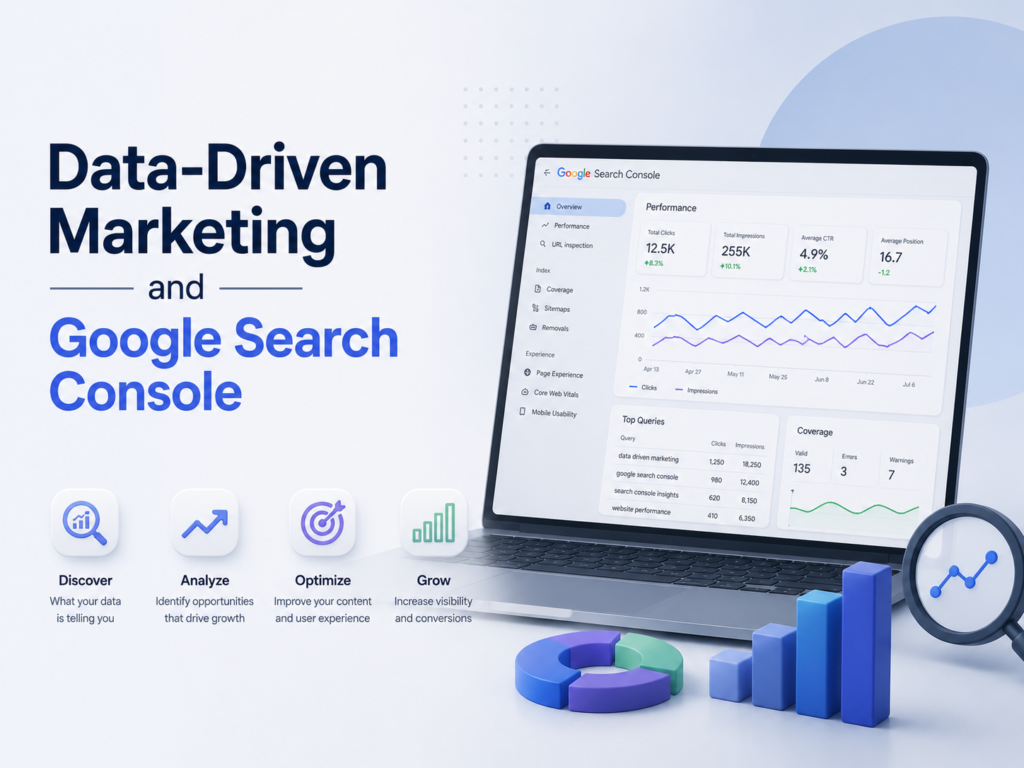
This is where I spend the most time. The Performance report shows you every search query that triggered an impression of your site in Google, along with clicks, impressions, average position, and click-through rate.
Here is how I use it:
- Filter by date range — I compare the last 28 days against the previous 28 days to spot trends
- Sort by impressions — pages with high impressions but low clicks tell me I rank for the right keywords but my title tag or meta description is not compelling enough to earn the click
- Sort by clicks — my top traffic pages, which I monitor closely for any sudden drops
- Filter by page — I pull up individual page performance to see exactly which queries drive traffic to specific URLs
The query data inside Performance is something you simply cannot get anywhere else. Ahrefs and Semrush estimate keyword rankings based on their own crawls. Search Console shows you the actual queries real users typed that led to your pages appearing in Google. That is a different and more valuable kind of data.
“Pages ranking between position 4 and 10 with a CTR below 3% represent the biggest quick-win optimization opportunity in most Search Console accounts.” — Backlinko CTR Study
I look for exactly these pages every month. A page sitting at position 6 with 5,000 impressions and a 2% CTR is leaving a lot of traffic on the table. A better title tag alone can move that needle significantly.
The Coverage Report (Now Called Indexing)
This report shows me which pages Google has indexed and which ones it has not — and why.
I look for four things specifically:
- Valid pages — confirmed indexed pages, which I cross-check against my sitemap to make sure everything I want indexed is actually indexed
- Excluded pages — pages Google chose not to index, which includes noindex pages, duplicate content, and crawl anomalies
- Errors — pages that Google tried to crawl but encountered a problem, like a 404 or server error
- Valid with warnings — indexed but with issues, like pages submitted in the sitemap that have a noindex tag (a contradiction that confuses Google)
I review this report monthly at minimum. On new sites, I check it weekly for the first three months.
The Page Experience Report
This report brings together Core Web Vitals data — LCP, CLS, and INP — along with mobile usability status. It shows me which pages Google rates as “Good,” “Needs Improvement,” or “Poor” for page experience.
I use this report to prioritize my speed optimization work. Rather than improving page speed site-wide in a general way, I focus first on the pages that get the most traffic and currently score “Poor.” That is where fixing Core Web Vitals has the biggest impact on both rankings and user experience.
The Links Report
Search Console shows me two types of links — external links (other sites linking to mine) and internal links (links between my own pages).
The external links section shows me which pages attract the most backlinks. I study these pages carefully — what made them link-worthy? Can I replicate that approach on other pages?
The internal links section shows me which pages receive the most internal link equity from the rest of my site. I compare this against my most important pages. If a key service page is getting fewer internal links than a blog post from three years ago, I fix that imbalance.
The Manual Actions Report
I check this every single time I log in. A manual action means a human reviewer at Google has identified a violation of their guidelines and penalized your site. It is rare — but when it happens, it can wipe out your organic traffic. I want to know immediately if Google has issued one.
How I Use Search Console Data to Drive SEO Growth
Here is the actual workflow I follow to turn Search Console data into ranking improvements.
Finding quick-win pages
Every month I export the Performance report and filter for pages ranking between position 4 and 15. These pages already have some authority — Google likes them enough to rank them. They just need a push to break into the top three.
I look at the queries driving impressions to those pages, then update the page’s title tag, meta description, H1, and body content to better match what users are actually searching for. In most cases, I see a ranking improvement within four to six weeks.
Spotting content decay
I compare performance data from the current quarter against the same quarter last year. Pages where impressions and clicks have dropped significantly year over year are experiencing content decay — they used to rank well but newer, better content has pushed them down.
I update those pages with fresh data, new sections, improved structure, and better internal links. Content refresh almost always recovers lost rankings faster than publishing a brand new page on the same topic.
Identifying missing content
The query report often surfaces searches I rank for accidentally — queries where my page appears but was never specifically written for that topic. When I see a query driving impressions but the content on my ranking page only tangentially covers it, I write a dedicated page targeting that query properly. This turns accidental rankings into intentional ones.
Diagnosing traffic drops
When traffic drops suddenly, Search Console is the first place I investigate. I check whether indexing errors appeared around the same time. I check whether my top pages lost impressions or positions. I look at the Manual Actions report. I check the Coverage report for new exclusions. Usually the cause is visible in one of these reports within five minutes.
“Websites that perform monthly Search Console audits recover from traffic drops 40% faster than those that review data only when problems occur.” — Moz SEO Research
That is exactly my experience. Catching problems early — before they compound — is one of the most valuable habits in SEO.
Connecting Data-Driven Marketing to Search Console in Your Daily Workflow
Everything in Part One — the philosophy of data-driven marketing, the discipline of measuring before acting, the habit of regular review — applies directly to how you use Google Search Console.
You do not just log in and browse around. You define what you want to learn before you open the tool. You set benchmarks. You compare periods. You act on what you find. You measure whether your action worked.
That is data-driven SEO. And it is the most reliable way I know to grow organic traffic consistently over time — without guessing, without wasting effort on the wrong things, and without being surprised when something breaks.
Final Thoughts from Ali Jaffar Zia
Data-driven marketing is not a trend. It is a permanent shift in how good marketing gets done. The businesses that build real data habits — collecting the right metrics, reviewing them consistently, and acting on what they learn — outperform the ones still running on instinct. Every time.
And Google Search Console is one of the best places to start building those habits, because it gives you direct access to how Google sees your site. No estimation. No third-party crawl. Real data from the source.
If you are not logging into Search Console at least once a week, you are flying blind on your most important organic channel. Start there. Build the habit. Let the data tell you what to do next.
Frequently Asked Questions
1. What is data-driven marketing in simple terms? Data-driven marketing means using real data — from analytics, search tools, ad platforms, and customer behavior — to make your marketing decisions instead of relying on assumptions. You measure first, act based on what the data shows, then measure again to see if it worked.
2. Is Google Search Console free to use? Yes, completely free. You just need a Google account and ownership of the website you want to track. Go to Google Search Console and add your property to get started.
3. How often should I check Google Search Console? I check it at least once a week for active SEO campaigns. For new websites in the first three months after launch, I check it two to three times a week. Monthly reviews are the minimum for any site you care about ranking.
4. What is the difference between impressions and clicks in Search Console? An impression means your page appeared in Google’s search results for a query. A click means someone actually tapped or clicked on your result. A high impression count with a low click count usually means your title tag or meta description is not compelling enough to earn the click.
5. How do I find which keywords I rank for using Search Console? Go to the Performance report, click on the Queries tab, and you will see every search term that triggered an impression of your site. Sort by impressions to see your broadest reach, or sort by clicks to see what actually drives traffic.
6. What should I do if I find indexing errors in Search Console? First, understand why the error happened — is it a 404, a server error, a redirect issue, or a noindex tag in the wrong place? Fix the root cause, then use the URL Inspection tool in Search Console to request indexing of the corrected page.
7. Can Search Console help me recover from a Google penalty? Yes. Check the Manual Actions report inside Search Console. If Google issued a manual penalty, it will be listed there with a description of the violation. Fix the issue, then submit a reconsideration request directly through Search Console.
8. How long does it take for Search Console data to update? Performance data typically has a two to three day delay. Indexing status updates faster — usually within 24 to 48 hours after Google recrawls a page. Core Web Vitals data can take up to 28 days to fully update in the Page Experience report.
9. What is content decay and how does Search Console help me spot it? Content decay is when a page that used to rank well gradually loses rankings and traffic over time, usually because newer and better content has appeared. In Search Console, compare your Performance data year over year. Pages with significantly fewer impressions and clicks than the same period last year are showing signs of decay and need to be refreshed.
10. How does data-driven marketing improve SEO results specifically? When you use data to guide every SEO decision — which pages to update, which keywords to target, which content gaps to fill — you stop wasting effort on things that do not move the needle. Search Console gives you the specific data points — query performance, indexing status, CTR, rankings — that tell you exactly where to focus to grow organic traffic faster and more predictably.
Also Read:
-
From AI SEO Tools to Technical Checklists: How I Build Sites That Rank
-
From Micro-Conversions to A/B Testing: How I Turn Small Data Into Bigger Sales
-
PPC Ads on Social Media: The Granular Metrics You Are Probably Ignoring
-
Building a Strong LinkedIn Personal Brand and Its Impact on SEO Growth
-
How Digital Marketing Consultants Approach SEO Strategy